
All guides
Understand your results
What you'll do
You'll see, and hear, which tests are in range and which aren't.
Step by step
After uploading, Results opens by itself. Later, open it from Recent reports on Home.
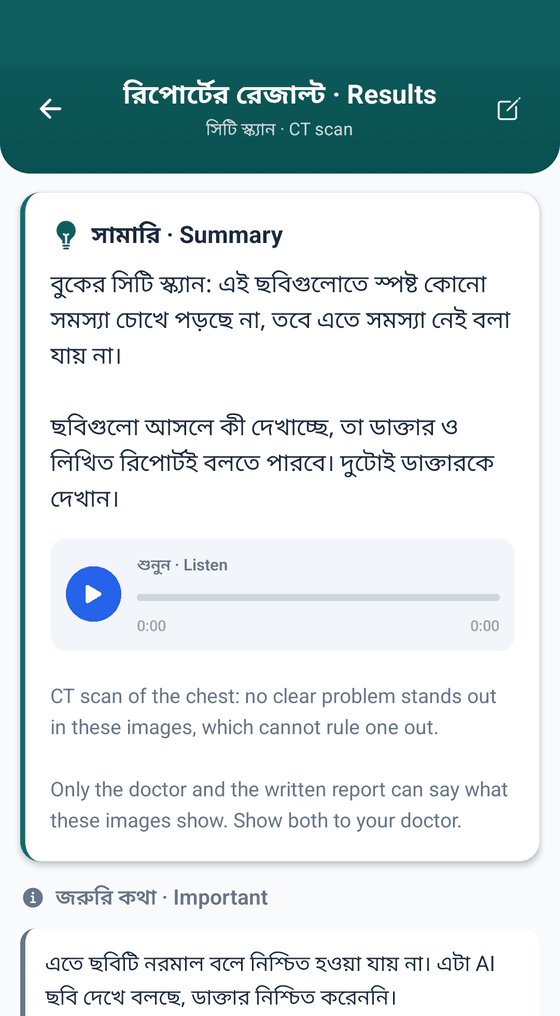
Read the Summary at the top: the whole report at a glance.
Under Lab results, each test sits next to the normal range printed on your report.
The colour shows what needs a look (see the colours below).
Tap Listen to hear it read out in Bangla.
To check against the paper, tap Show original text at the bottom.
What the colours mean
- NormalInside the range printed on the report.
- Above rangeOutside the range, but for this test higher is usually better (like HDL).
- BorderlineStill inside the range, but close to the edge.
- HighAbove the range. Show your doctor.
- LowBelow the range. Show your doctor.
- CriticalFar outside the range. See a doctor without delay.
- No range printedNo range was printed, so HBD can't say whether it's in range.
Tips
- Ranges differ between labs, so HBD uses the one printed on your report.
- Tap What to do next for simple next steps.
- Red is not a reason to panic. Take the report to a doctor.